 more cities

How To: Edit Your Ads
Did you forget to add some information to your ad that you already posted? Did you price your boat too high and you want to make some adjustments? Maybe your boat was priced just right and sold, but people still keep calling you about it and you need the phone to just stop ringing! All of these problems, can be solved by editing your ad – add information, remove information, change the price, set your item to SOLD, and much more.
But remember, you can only edit an ad that you have already posted…
1. Go to your local UsedUsed.ca site and click my ads 
2. Either type in the email address or phone number that you used to post your ad originally, or sign in to your account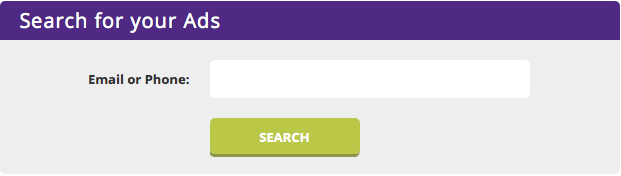
3. You will now be directed to your recent ads. Find the ad you wish to edit, and click the pen icon to start editing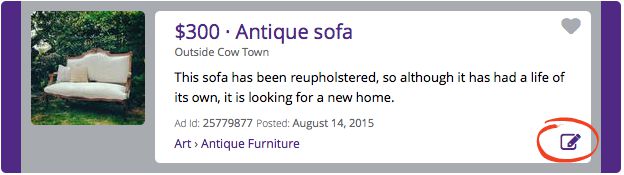
4. This page is similar to the original page you used to place an ad. Here you can edit the details of your ad to your heart’s content, so edit away!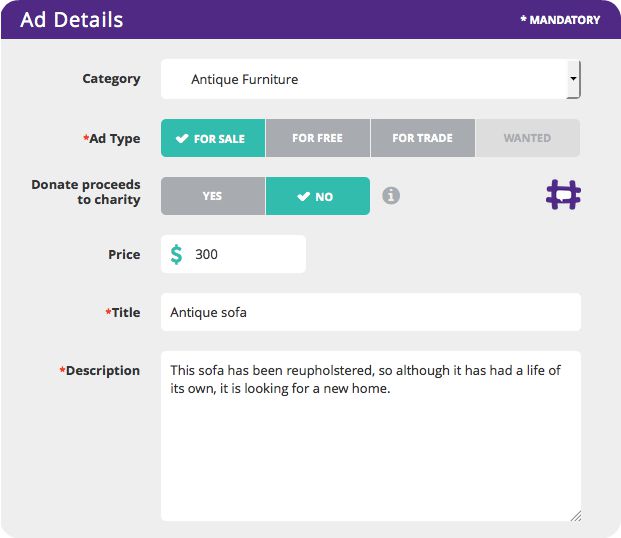
5. When you are finished editing your ad information, scroll to the bottom of the page. Either enter the password you used when first placing your ad and click update ad, or if you are already logged in simply click update ad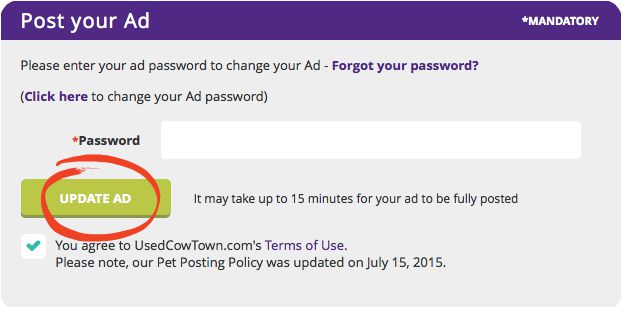
6. Once you have clicked update ad, you will be taken straight to your ad’s page – this is how it appears on the site. Make sure you can see your updated changes, and you’re done! 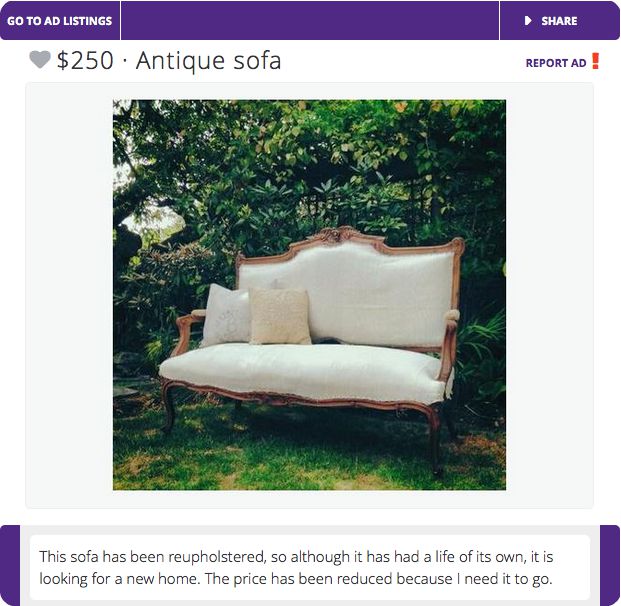

Katie Bresner
is a Social Media and Community Coordinator at UsedEverywhere.com. Twitter, Facebook, the Blog and the phone are her domains.

Tweets that mention How To: Edit Your Ads | UsedEverywhere -- Topsy.com
[…] This post was mentioned on Twitter by Eden Dearing, UsedEverywhere. UsedEverywhere said: Today on the #UsedBlog is something Useful! How to Edit your Ads: http://ow.ly/42N2P ^KB […]
mike
I can’t delete my ad. It keeps asking for an account log in and i don’t have an account
UsedHQ
Hi, thanks for reaching out! Can you please email our user experience team at feedbacks@used.ca so that we can assist you further? We look forward to hearing from you soon!
Ed
how do i edit my ad? I dont see any icons that allow me to edit it.
UsedHQ
Hi, thanks for reaching out! Can you please email our user experience team at feedbacks@used.ca so that we can assist you further? We look forward to hearing from you soon!
mike kelly
How do I delete my add?